

Safety Inspection Software for Construction: Real-Time Audits & Observations
It’s Tuesday morning. Three trade partners are on site. Your superintendent completed walkthroughs on two of them — but the third crew’s observations are on a paper form somewhere in a truck.
When the GC asks for compliance documentation at end of day, that paper trail won’t be enough. Construction safety inspection software replaces that gap with real-time digital records — captured in the field, stored automatically, and retrievable when it counts.
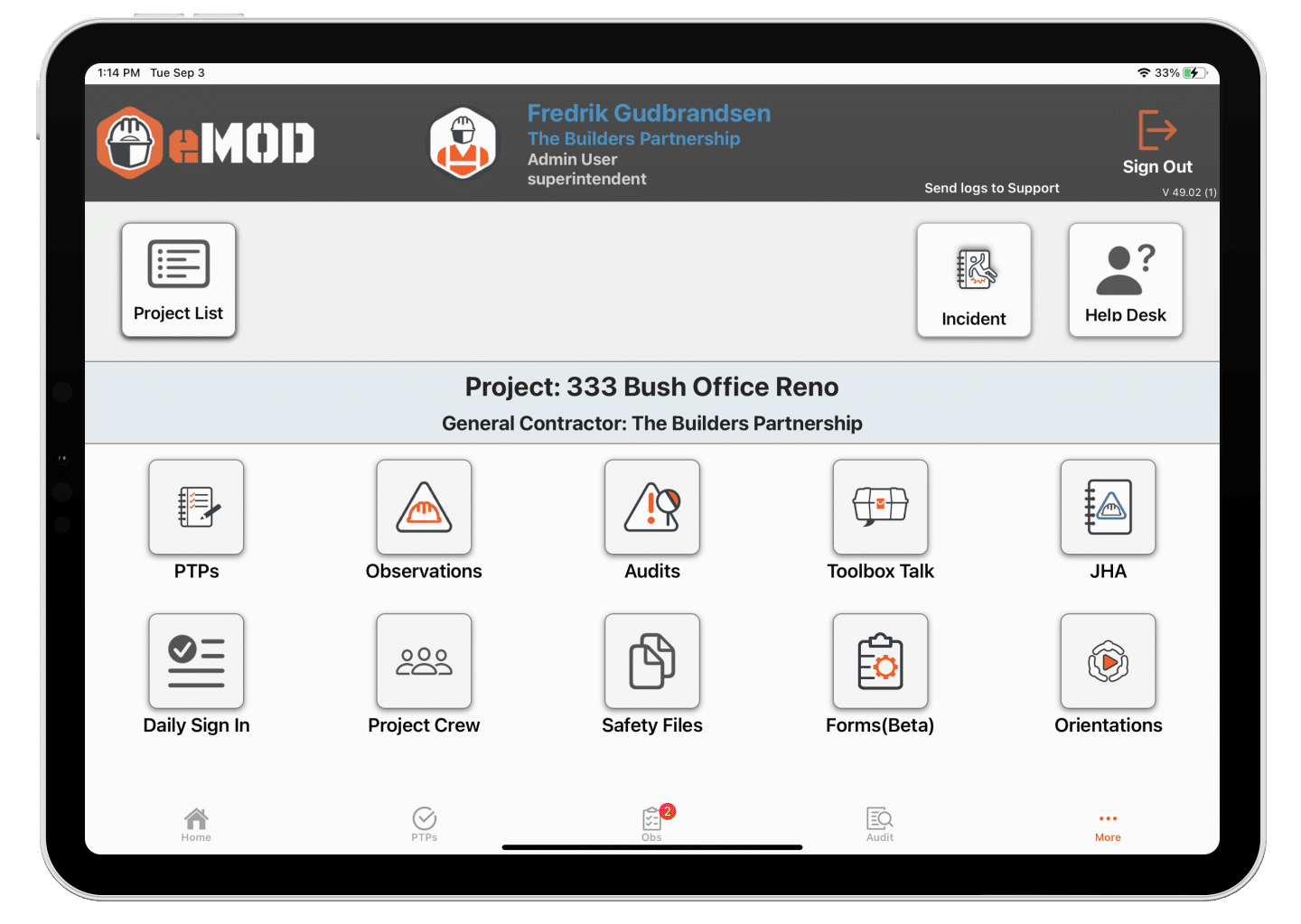
Built for Field Crews, Trusted by Safety Directors
Most safety inspection tools started as generic form builders — office-centric checklists adapted for construction after the fact. When contractors switch to purpose-built construction safety inspection software, the difference shows up immediately: field crews actually use it because it was designed around how superintendents work, not how administrators file paperwork.
It’s one piece of the complete construction safety software platform eMOD built around that same principle.
“Game Changer! eMOD makes it easy to track my crew compliance, no matter what job they are working on.”
Dan Gudmunson
ACCO Project Manager
ACCO Engineered Systems, a mechanical and HVAC contractor, uses eMOD across multiple active projects.
Unlike form-builder platforms, eMOD connects inspections directly to the pre-task planning workflow already happening every morning. That connection is what separates reactive documentation from proactive field safety.
How eMOD Safety Inspection Software Works in the Field
Most superintendents don’t need more software — they need software that doesn’t slow them down. Here’s what the workflow actually looks like.
Pre-Built Templates or Custom Checklists
Start with pre-built inspection templates or convert your existing checklists into smart digital forms. Superintendents complete inspections on their phones using eMOD’s mobile-first interface — with full offline functionality when connectivity is spotty.
Photo & Video Documentation
Capture hazards with your phone camera. Photos and videos attach directly to inspection records with automatic timestamps, giving you defensible documentation during OSHA audits and incident investigations.
Real-Time Issue Tracking & Close-Out
Assign corrective actions to specific trade partners or field leads the moment you identify a hazard. Actions are tracked digitally through to close-out, with follow-up photos documenting that the work was done.
See how real-time safety observations reduce OSHA citations.
Integrated with Daily Pre-Task Planning
When a superintendent identifies a hazard during morning walkthrough, it connects directly to that crew’s pre-task plan for the day. Field crews aren’t working off morning briefing assumptions that changed by 9 AM — they’re working from current information.
eMOD vs. Paper Checklists vs. Generic Form Builders
Paper Checklists
Mobile-first for field crews ✗
Offline functionality ✗
Photo/video documentation ✗
Auto-assigned corrective actions ✗
Integrated with Pre-Task Planning ✗
Procore / Autodesk integration ✗
Digital audit trail Manual
Form Builders
Mobile-first for field crews Partial
Offline functionality Rarely
Photo/video documentation Varies
Auto-assigned corrective actions ✗
Integrated with Pre-Task Planning ✗
Procore / Autodesk integration ✗
Digital audit trail Partial
eMOD
Mobile-first for field crews ✓
Offline functionality ✓
Photo/video documentation ✓
Auto-assigned corrective actions ✓
Integrated with Pre-Task Planning ✓
Procore / Autodesk integration ✓
Digital audit trail ✓
45.3%
Decrease in Total Recordable Incident Rate
46.3%
Reduction in workers’ compensation premiums
3X
Payback in Year 1
5X
Payback in Year 2
Validated by Independent Study
Safety inspections are only valuable if they change behavior. An independent Arthur J. Gallagher study of eMOD users — conducted over three years with an ENR Top 400 contractor — found that shifting from paper-based to digital pre-task planning and inspections produced measurable safety and cost improvements. The study’s conclusion: field crews shifted from reactive compliance to proactive pre-planning.Frequently Asked Questions
How does eMOD safety inspection software integrate with Procore?
eMOD integrates directly with Procore, syncing inspection data and safety records without requiring duplicate entry. Safety documentation captured in eMOD flows into your existing Procore project structure — no separate system to manage.Can field crews use eMOD inspections without cell service?
Yes. eMOD’s mobile app includes offline functionality, so superintendents can complete safety inspections and capture photo documentation even on sites with limited connectivity. Records sync automatically when service is restored.Does eMOD work for specialty subcontractors, not just general contractors?
eMOD serves both GCs and specialty subs. Mechanical, HVAC, painting, and sheet metal contractors use eMOD to conduct inspections and meet GC safety requirements across multiple active projects simultaneously.How long does it take to deploy eMOD’s inspection tools?
Implementation timelines vary by company size and existing systems. eMOD’s onboarding team handles setup and remote training — superintendents typically complete their first digital inspection within days of going live.See It Before You Commit
Safety Directors evaluating inspection platforms should see the workflow before a conversation about pricing. Schedule a demo to walk through how eMOD handles real-time inspections, issue tracking, and audit documentation for construction teams.
SCHEDULE A DEMO TALK TO A SAFETY DIRECTOR WHO USES EMODIntegrates with Procore and Autodesk Build.